분할 컷
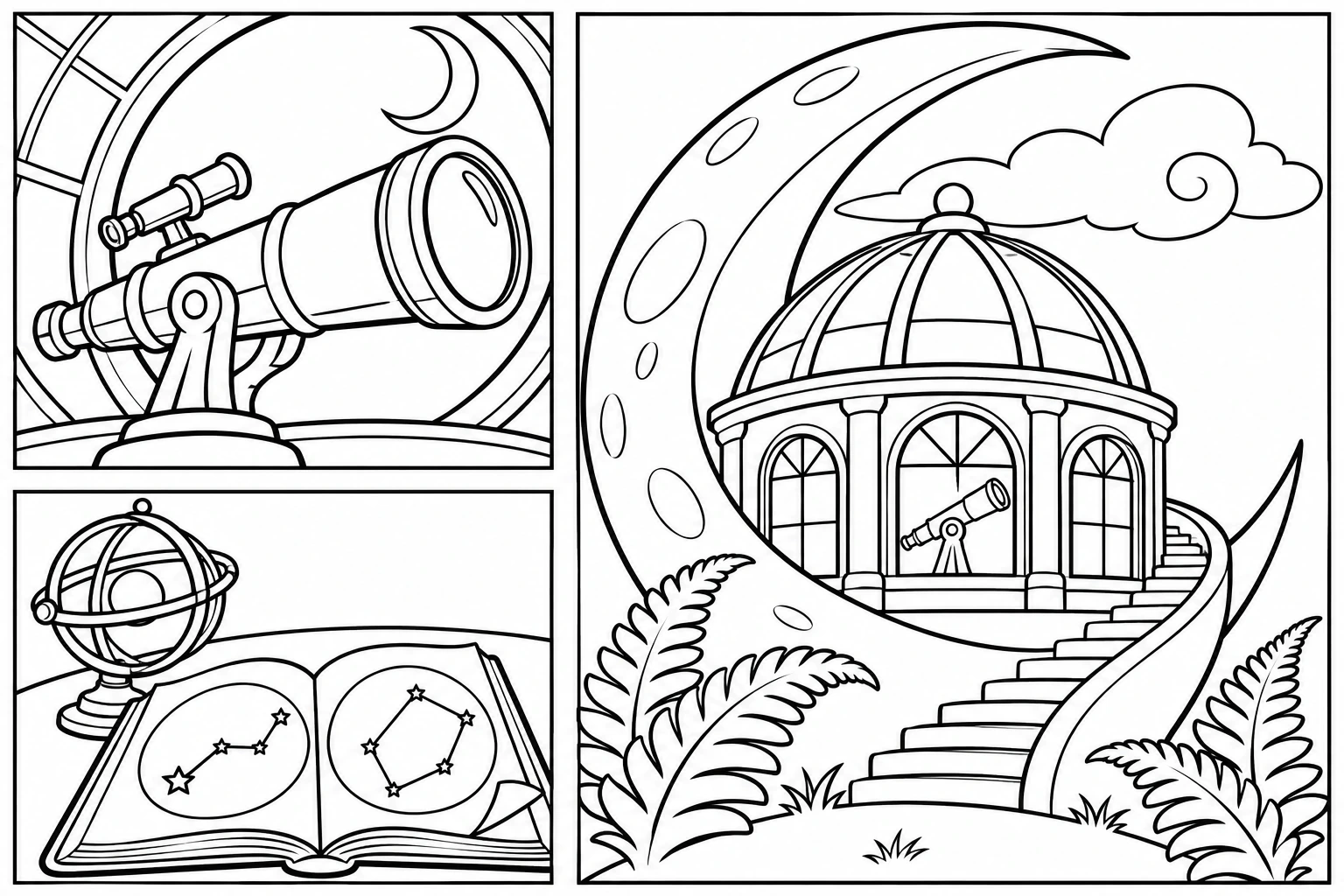
달 관측소에서 찾은 세 가지
영어 프롬프트 전체를 바탕으로 그리고 싶은 내용을 바꿔 보세요.
원본 프롬프트
Use case: illustration-story. Asset: an original black-and-white coloring-page example for a family-friendly creative inspiration gallery. Crisp confident black contour ink on pure white paper, varied line weight, no gray shading, crosshatching, solid black background, watermark, logo or text. Refined storybook illustration, moderate purposeful detail, not preschool clip art. Interest comes from an inventive visual idea, strong silhouettes and meaningful layers. Use large and medium enclosed coloring areas and a few well-chosen fine lines. No tiny repeated cells, mesh, clustered dots, dense lace or all-over micro-texture. Keep the whole main composition inside a narrow white safety margin. Landscape canvas, 3:2 aspect ratio. Exactly three illustrated panels: two square panels stacked on the left, one tall panel on the right, separated by broad white gutters with simple thin rectangular outlines. Three complementary views of an imaginative moon observatory, not a comic action sequence. TOP LEFT: one large elegant telescope pointing out through an open circular window, its lens and smooth tube dominant; only a low curved ledge and a crescent moon beyond. BOTTOM LEFT: one open star atlas on a broad desk, with two large circular sky diagrams, a small three-ring armillary globe and a folded page corner; no text and no dense tiny stars. RIGHT: the full observatory built into a huge sculptural crescent moon rising from a low rounded hill. A single glass dome with five broad curved ribs, three large arched windows and one sweeping exterior stair follow the crescent. Two oversized fern fronds frame the foot of the building and one cloud curls behind the crescent. Use strong near/far layers and a clear large focal object in each panel. Enough medium-scale architectural detail to invite coloring, but no brickwork, narrow railings, clusters of roofs, tiny leaf repeats or extra panel divisions.
프롬프트 편집