Schrift
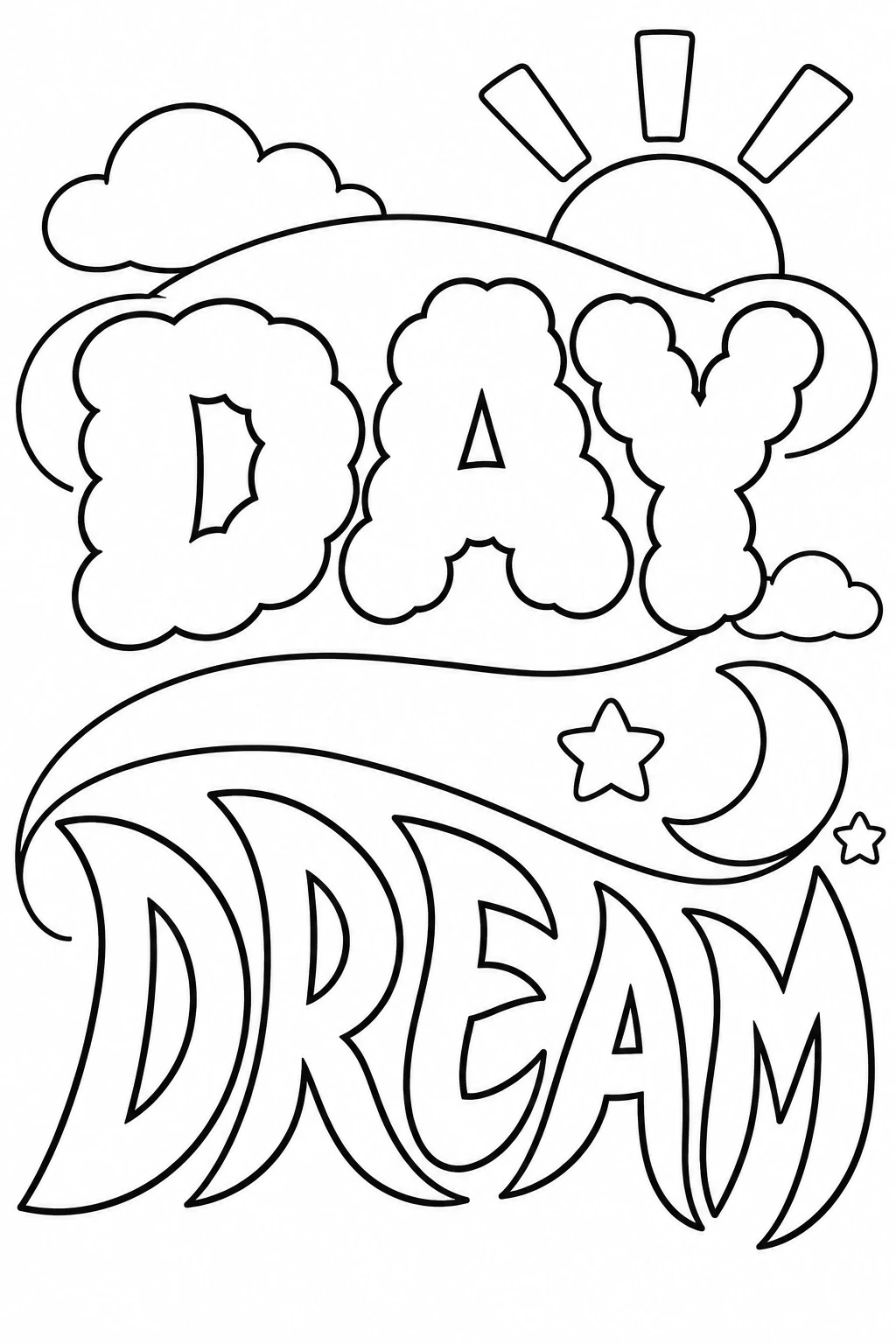
Day Dream in zwei Schriftstilen
Beginne mit dem vollständigen englischen Prompt und passe das Motiv an.
Original-Prompt
Text: DAY DREAM Subject: An original two-part hand-lettered coloring poster. The first word feels like sunny morning and the second feels like a moonlit reverie, with each word constructed from a different broad type of contour. Use light puffy cloud-like shapes for the upper word, and taller soft crescent-shaped stroke accents for the lower word while keeping both words plainly recognizable. Layout: On a portrait page with a comfortable white margin, stack two big centered words, one above the other. A single broad arching cloud ribbon curves behind the upper word and becomes a sweeping night-sky ribbon lower down. Keep the words as the main shapes and separate the two lines with a quiet gap. Put a small rising sun at the upper right and a crescent moon with a few large stars beside the lower word. Leave all of the sky white. Details: Use varied clean outline weights, wide letter interiors, four broad sun rays, rounded stars and only two or three simple cloud contours. No repeating tiny stars, gray shading, filled backgrounds, background text or extra words. Letter spacing must keep every word distinct.
Prompt bearbeiten