
Turn Plant Photos into Coloring Pages
Choose a leaf study, a whole tree or a garden scene to turn into a coloring page. Start with clear outlines and branching shapes, then compare the drawing with your original for a paper observation journal.
- Clean outlines
- Custom styles
- Adjustable detail
Checking your account…

See what your photo can become
My creations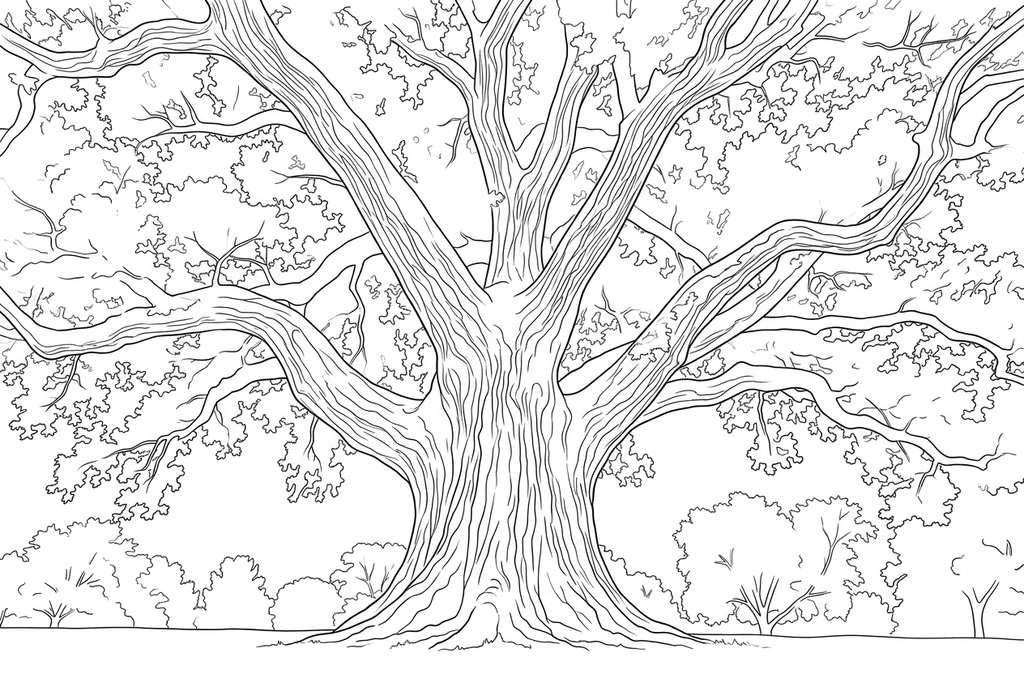
Generating your page
This result is temporary and has not been saved to your account.
Optional: save only the result to your account. Uses storage, not credits.
Match the paper size in your browser’s print dialog.
Redraw photo textures as clean outlines, with clearer shapes and open spaces for coloring.
- Keep a whole tree or focus on leaf shapes
- Adjust bark and canopy detail for coloring
Conversion status
You can leave this page and come back. Your AI task continues in the background.
Choose a leaf study, a tree or a garden scene
Use the photograph for observations and the drawing for coloring.
Decide which plant feature matters
Choose one leaf for its edges, a whole plant for its arrangement, or a large tree for the trunk and spreading branches. Look for a silhouette that remains clear without the original colors.
Keep the setting and choose the texture
Start AI with Classic, Medium detail and Keep background. Keep the lawn, path or nearby plants when they belong to the scene; try less detail if bark and foliage become crowded.
Record what the real photo shows
Compare leaf edges, stems and major branches, then print the drawing for a journal. Write observations from the original rather than from shapes reinterpreted in a redraw.
Photo tips: Plant photos
- Separate the leaf outline from other leaves behind it where possible.
- Choose a view that shows the stem connections you want to discuss.
- For a tree, look for a clear trunk and large branches against the sky.
- For a garden bed, choose an area with recognizable plant shapes rather than many overlapping leaves.
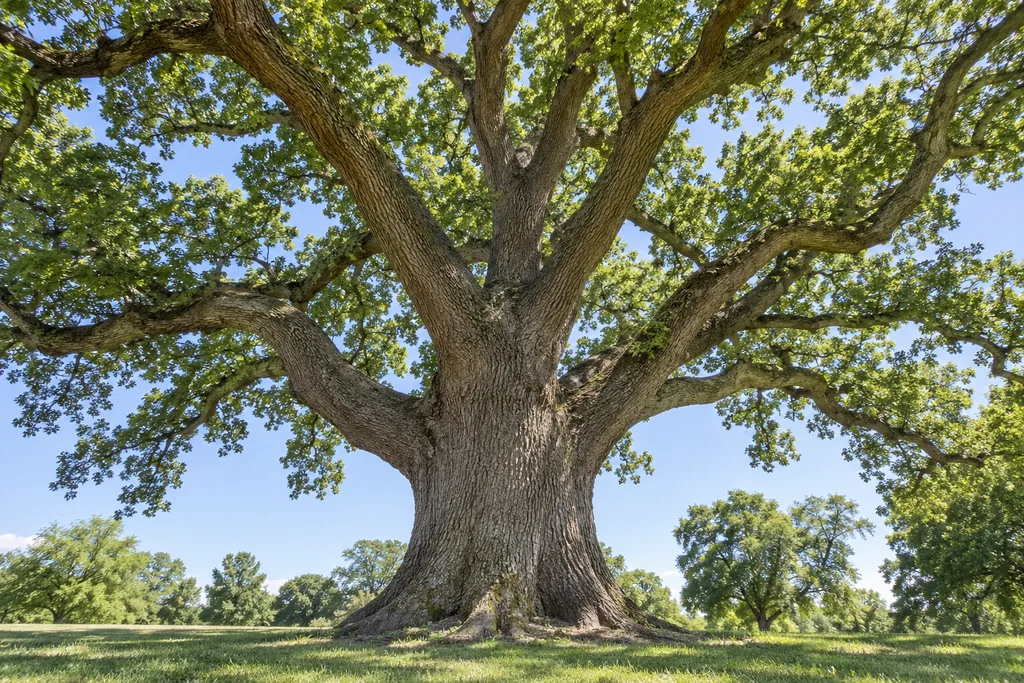
A whole tree, from trunk to spreading branches
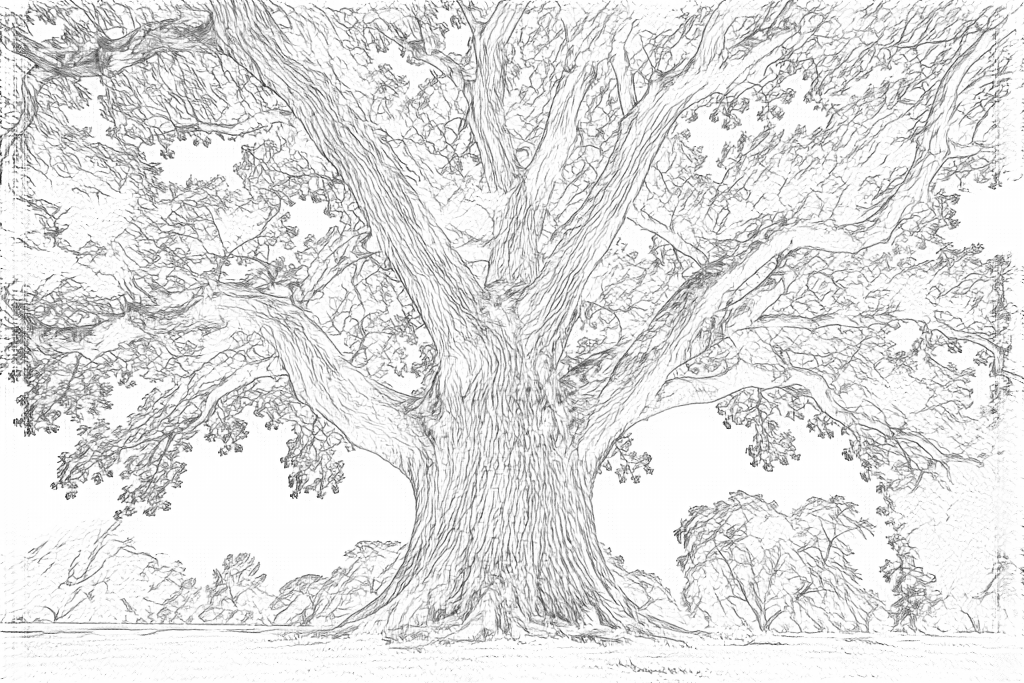
Compare the large trunk and branches in both results. Free follows fine bark and leaf texture; AI draws clearer bark contours and groups the canopy into leaf clusters.
Free: follow the visible edges
AI: simplify the drawing for color
The AI canopy still has many small shapes. Compare branch positions with the original and check that the spaces suit the person who will color the page.
Explore other AI drawing choices
Compare the starting point with two drawing choices from the same photo. Look at the shapes and lines, then use the settings beneath the result you prefer.
Starting point: The AI canopy still has many small shapes. Compare branch positions with the original and check that the spaces suit the person who will color the page.
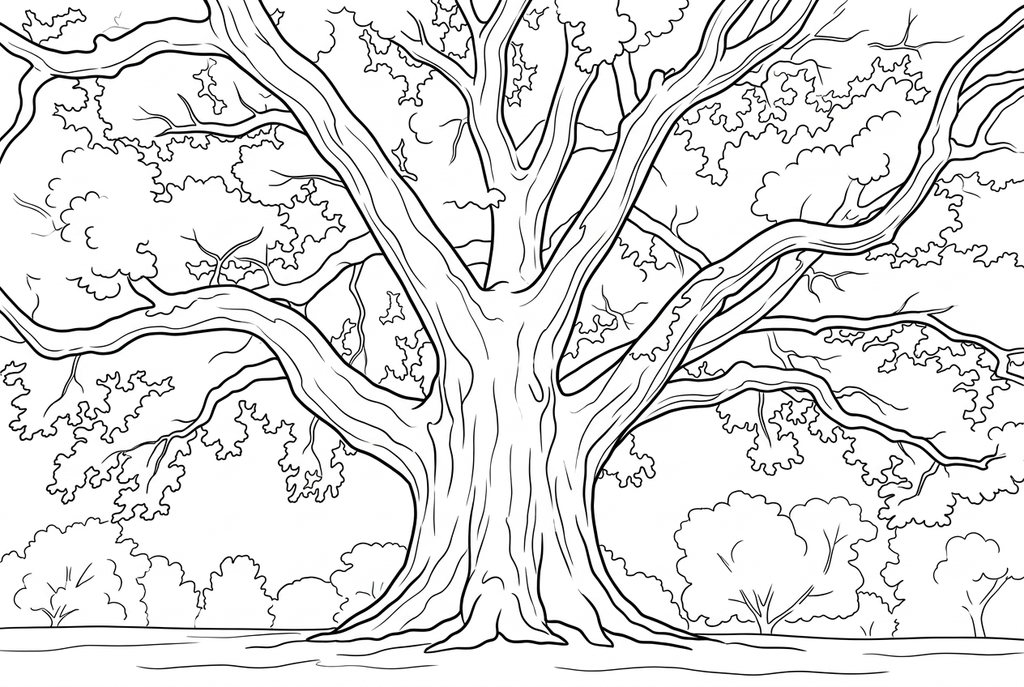
Simple removes many fine bark and canopy marks, leaving larger shapes around the main trunk and branches. Branch positions can change in the redraw.
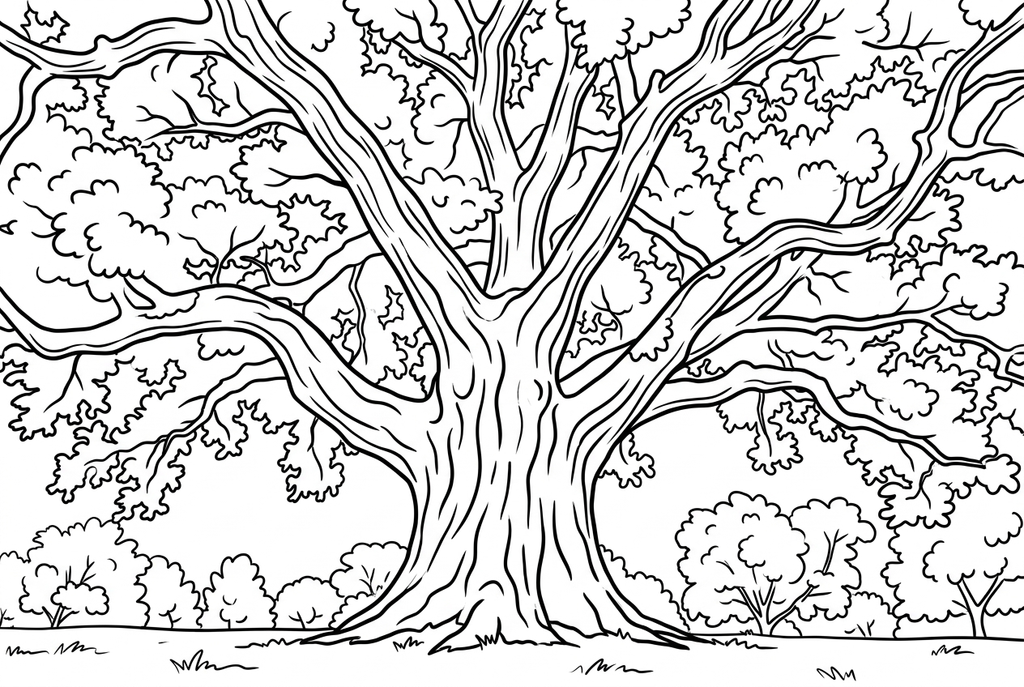
Comic gives the trunk and leaf clusters stronger graphic contours. The canopy still has smaller shapes; compare it with Simple before choosing a page to print.
A leaf study or a whole tree?
One leaf gives space to color its outline and inspect its edges. A whole tree offers a large trunk and spreading branches, while a garden includes several plants and the spaces between them.
Medium detail is a useful AI starting point. The tree example retains many leaf clusters even after a redraw; try Simple when you want larger spaces. Verify veins and branch positions against the original.
Keep the garden, watch the small lines
- Classic
- Medium
- Standard
- Keep background
A lawn, path or neighboring tree can make the setting recognizable. Keep background asks AI to retain those shapes; Simplify is an alternative when you want the main plant to stand alone.
Free may retain all those edges. Preparing a photo with a clearer subject often helps more than trying to remove clutter after conversion.
Use the photo as the observation record
Record what you can see in the original: a new leaf, a leaning stem or the way the main branches spread. Attach the coloring page beside those notes in a paper journal.
The converter does not identify a plant or diagnose its condition. Treat the page as a drawing to color, and keep factual observations tied to the photograph.
Check the drawing before making copies
Inspect the features that matter to this photo and its intended paper use.
Compare leaf shapes, stems and their arrangement with the original plant photo.
Inspect fine veins and overlapping foliage for areas too small to color at the intended size.
Keep the source photo for observation notes; use the converted drawing as a coloring interpretation.
Keep a result you can use again
Free: keep the file before leaving
Download the PNG or print on A4 or Letter. Conversion runs on your device; refreshing does not retain an unsaved result. Sign in only if you choose to save to My creations.
Free photo conversionAI: return to the finished task
Sign in and submit with the displayed credits. Open the saved result to download, export or print. Review the drawing beside your source before using it for the activity.
AI photo conversionPrint another copy of a selected result without generating again. A new AI submission uses credits. For a PDF from Free, use your browser's print-to-PDF option where available.
A ready-to-print page can work alongside your photo
These free coloring collections offer another picture for the activity, or a starting point when you do not want to use a photo.
Questions about Plant photos
Use the photograph for observations and the drawing for coloring.
Can it reproduce leaf veins exactly?
No exact vein pattern is guaranteed. AI can reinterpret texture and Free can lose faint lines.
Why did several leaves merge?
Their outlines may overlap or have little contrast in the source. Try a view with more separated shapes.
Is this a plant-identification tool?
No. It produces printable drawings from photos, not plant names or care advice.
Can I compare growth using several plant photos?
Convert the photos individually if you want coloring pages, but compare growth in the original photographs. Add dates you know and do not treat altered leaf counts in an AI drawing as evidence.
Start with the photo you want to color
Use the photograph for observations and the drawing for coloring.