
Turn Vehicle Photos into Coloring Pages
Make a printable vehicle picture from a clear photo of a car, bicycle or other vehicle. Choose the outline you want to recognize and inspect wheels, windows and small repeated parts.
- Clean outlines
- Custom styles
- Adjustable detail
Checking your account…

See what your photo can become
My creations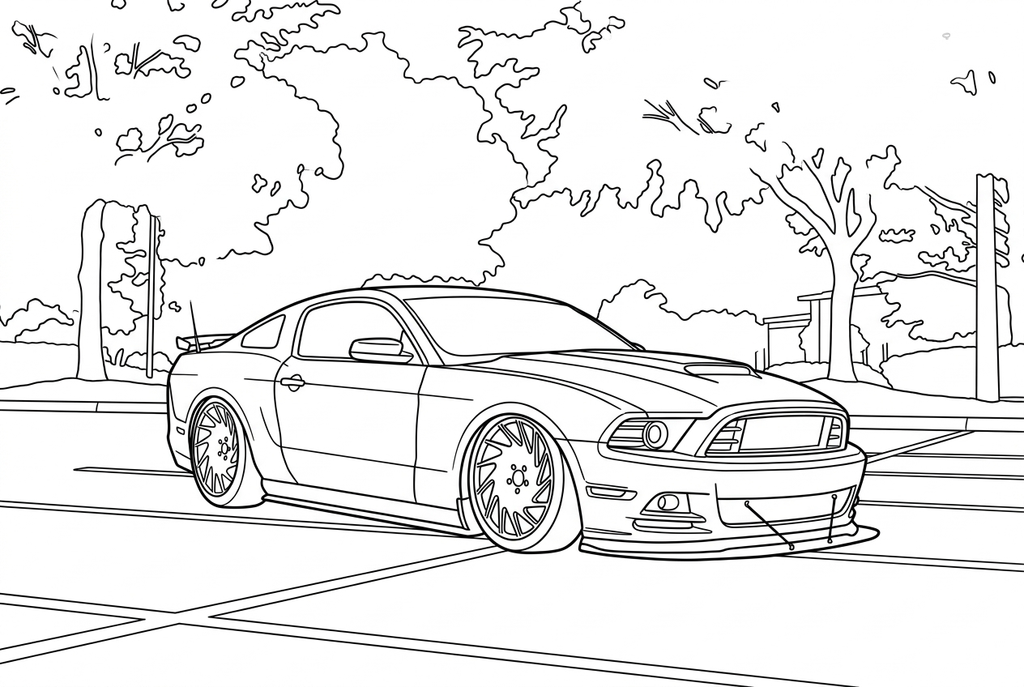
Generating your page
This result is temporary and has not been saved to your account.
Optional: save only the result to your account. Uses storage, not credits.
Match the paper size in your browser’s print dialog.
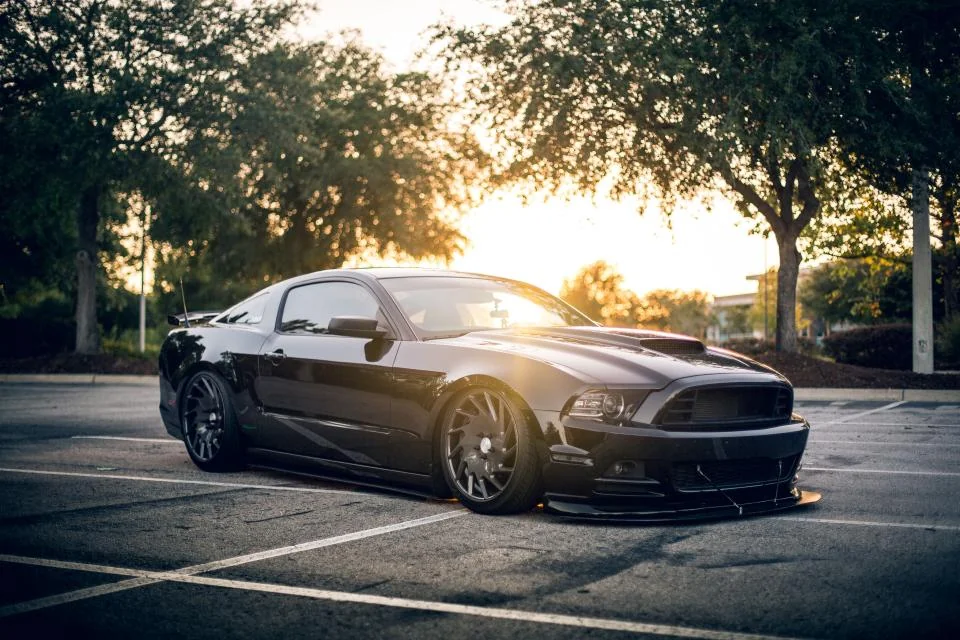
Photo: Lance Asper · StockSnap · CC0 · License
Redraw photo textures as clean outlines, with clearer shapes and open spaces for coloring.
- Turn reflections into clearer drawing shapes with AI
- Keep the vehicle and parking or road setting
Conversion status
You can leave this page and come back. Your AI task continues in the background.
Keep the vehicle silhouette readable on the page
Wheels and body shape usually matter more than tiny badges.
Choose separated wheels and a clear body
Use a still frame and check wheel overlap, reflections and the roof shape. A less shiny or less obstructed angle can be easier to convert.
Choose broad panels or mechanical detail
Start AI with Classic and Medium detail; compare Simple for larger coloring areas. Free can keep reflective edges as well as the vehicle outline.
Check repeated parts before printing
Compare wheels and windows with the photograph. Print a test for a color-design activity and write any useful label yourself.
Photo tips: Vehicle photos
- A parked side or three-quarter view is easier to inspect than a blurred moving vehicle.
- Leave enough room around wheels and handlebars.
- Check reflections on windows and shiny body panels.
- Prepare the photo elsewhere if a visible plate or sign should not appear.
A clear car shape, with the setting still visible
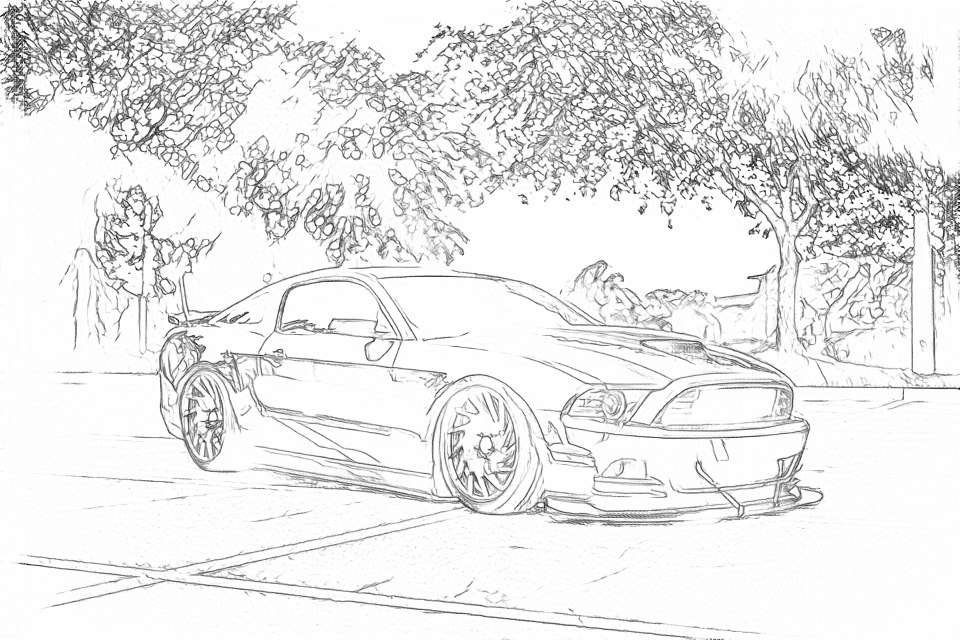
Compare the wheels, windows and body contours. Free follows reflections and leaves; AI groups those textures into simpler shapes while retaining the car and parking scene.
Free: follow the visible edges
AI: simplify the drawing for color
AI can alter wheel shapes, grille details and reflections. Compare the drawing with your photo before keeping it.
Explore other AI drawing choices
Compare the starting point with two drawing choices from the same photo. Look at the shapes and lines, then use the settings beneath the result you prefer.
Starting point: AI can alter wheel shapes, grille details and reflections. Compare the drawing with your photo before keeping it.
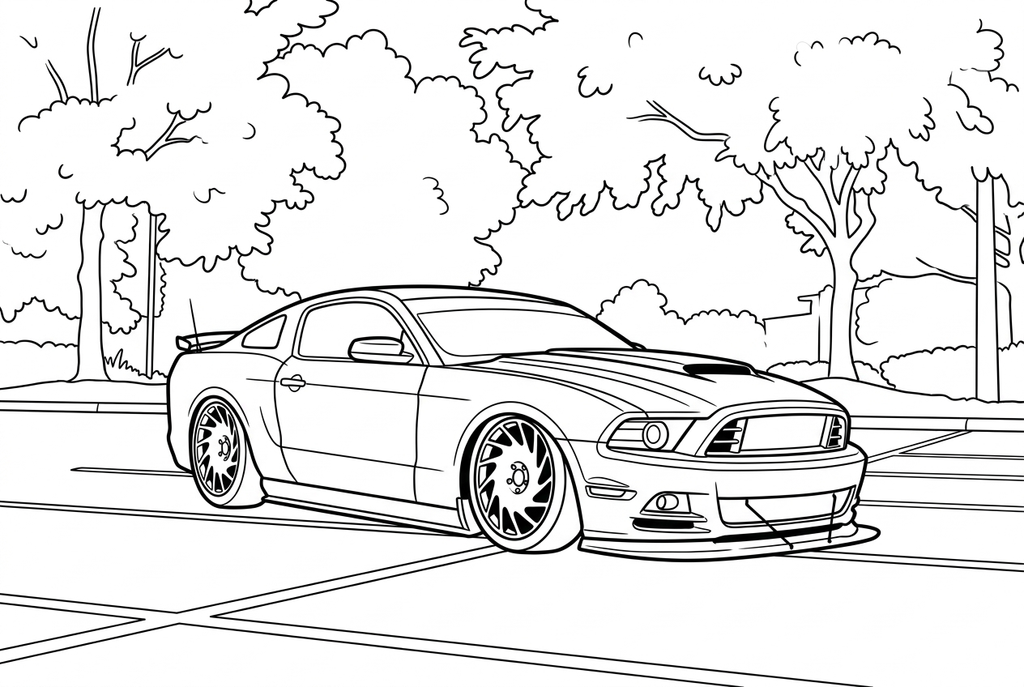
Comic with Bold uses stronger car contours and fewer reflections. Some wheel details merge into dark marks; compare the wheels with the source.
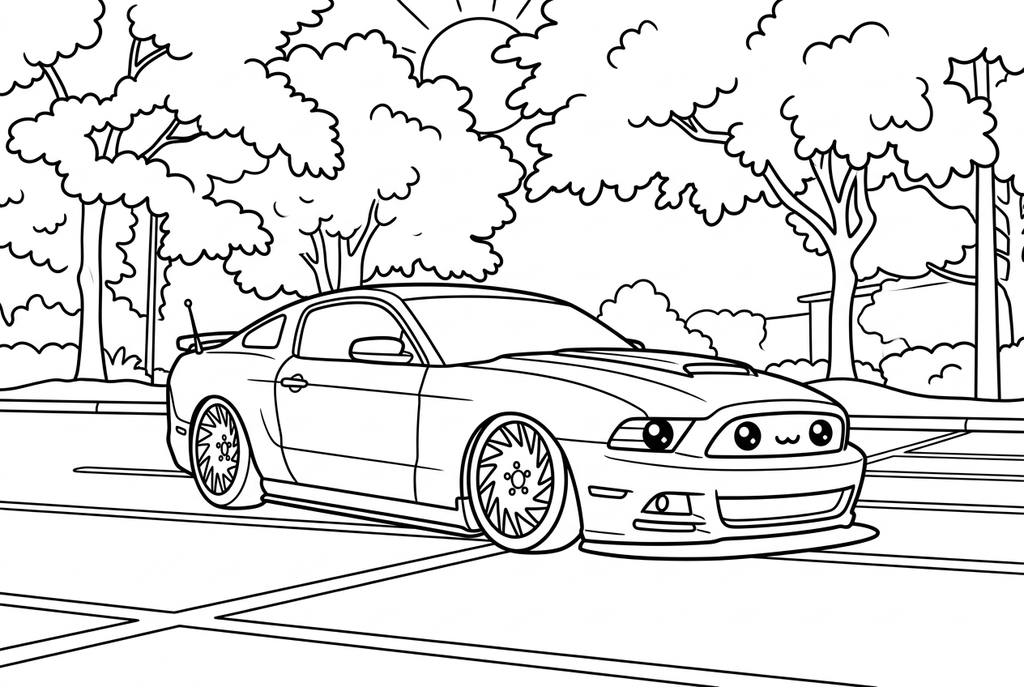
Kawaii rounds the car and gives its grille a playful face. Choose Classic when you want a less playful version of the actual front features.
See more results from this photo (2)
These are additional real conversions of the same source. Compare their settings and smaller features before choosing a drawing.
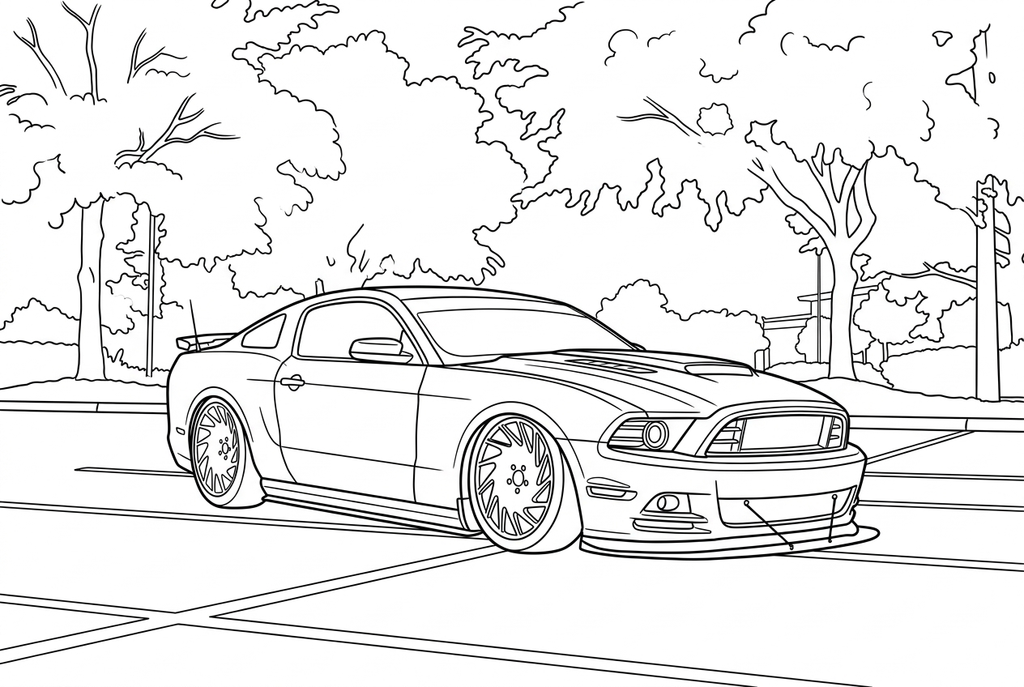
Most of the car remains close to the Medium result. Look at wheel, grille and tree details rather than expecting a different composition.
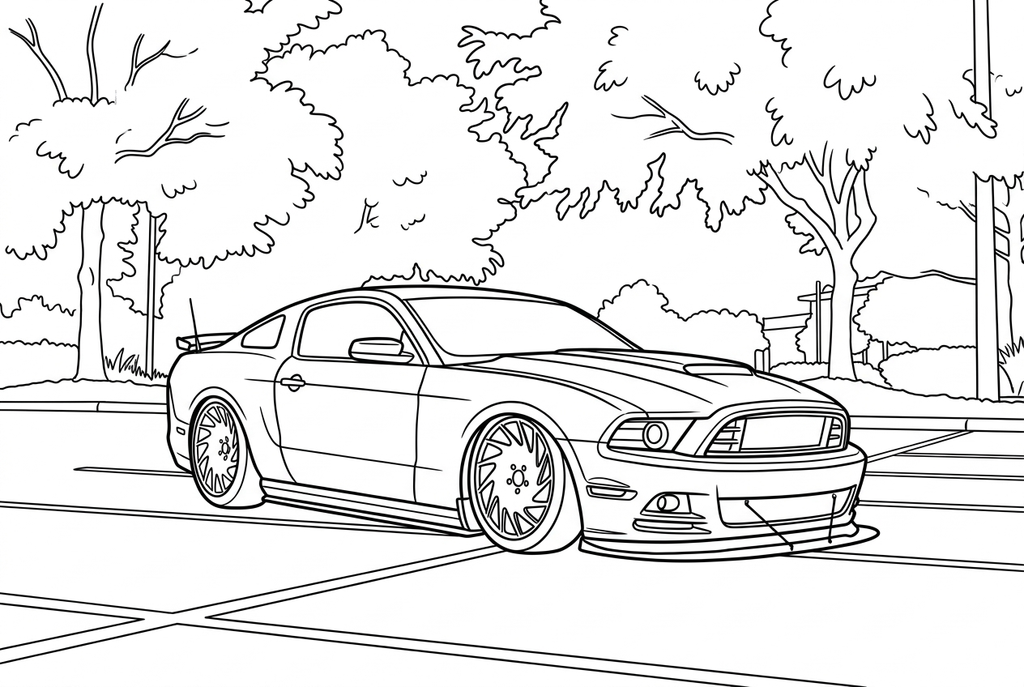
This Comic result stays close to the Classic car drawing. Compare the wheels and surrounding trees; the style change is modest here.
A clear silhouette matters more than a badge
The shape of the body, roof and wheels usually gives a page its identity. Tiny badges and text can be hard to preserve and are not a reason to choose a more crowded photograph.
Classic with Medium detail and Standard lines is an AI starting point. Simple can open broad coloring areas; more detail can add spokes and trim that you may not want to color.
Wheels and reflections need a closer look
Compare wheel shapes and any bicycle spokes against the original. AI may change repeated parts, while Free can retain reflections as lines across a panel or window.
Choose another frame if wheels overlap or motion blur hides their boundaries. A bigger output cannot reliably fix those missing details.
Color a familiar vehicle or use it in a scene
Print one result for different color designs, or mount the vehicle beside a handmade paper route. Keep any factual labels separate from the converted drawing.
No vehicle model recognition, automatic plate removal or brand-specific drawing guarantee is supplied. The original photo remains the reference.
Check the drawing before making copies
Inspect the features that matter to this photo and its intended paper use.
Compare wheels, windows and the visible vehicle shape with the source photo.
Inspect spokes, reflections and small mechanical parts for crowded or disconnected lines.
Check a print at the final display size; add a handwritten label rather than relying on generated logos or text.
Keep a result you can use again
Free: keep the file before leaving
Download the PNG or print on A4 or Letter. Conversion runs on your device; refreshing does not retain an unsaved result. Sign in only if you choose to save to My creations.
Free photo conversionAI: return to the finished task
Sign in and submit with the displayed credits. Open the saved result to download, export or print. Review the drawing beside your source before using it for the activity.
AI photo conversionPrint another copy of a selected result without generating again. A new AI submission uses credits. For a PDF from Free, use your browser's print-to-PDF option where available.
A ready-to-print page can work alongside your photo
These free coloring collections offer another picture for the activity, or a starting point when you do not want to use a photo.
Questions about Vehicle photos
Wheels and body shape usually matter more than tiny badges.
Can I use a bicycle photo?
Yes. Check fine spokes, pedals and handlebars carefully, and choose a result with useful open spaces.
Will logos and numbers stay readable?
Text and small symbols can change during conversion. Add needed labels by hand after printing.
Why did shiny panels gain extra lines?
Reflections create visible edges in the source. A photo with fewer reflections can give a simpler Free result.
Can I recolor the same vehicle several ways?
Yes. Print several copies of one inspected result and change the colors on paper. You do not need another conversion for each palette.
Start with the photo you want to color
Wheels and body shape usually matter more than tiny badges.